
ASP.NET MVC實作授權方式有兩種,一個是Identity 2.0方式,另一種是使用Forms Authentication,兩個方式都還有滿多工程師在用的。
現在我們先使用 Forms Authentication 的方式來實作會員登入。
Step01.新增專案時,選擇無驗證方式,若選擇個別使用者帳戶時,專案範本就會預載 Identity。
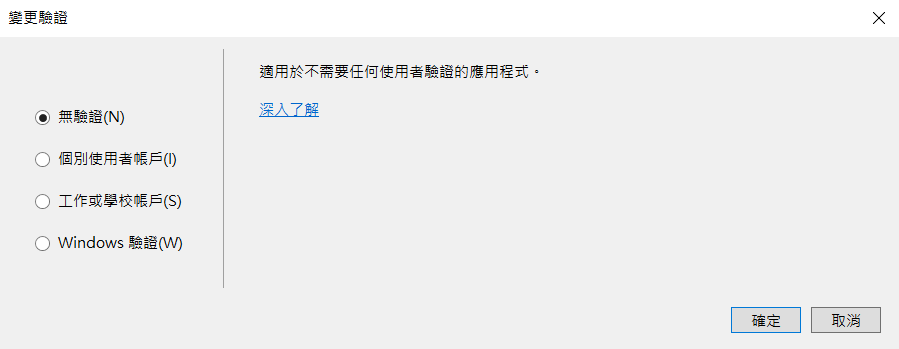
Step02.在HomeController 新增 [Authorize],表示要授權才能進來
[Authorize]
public class HomeController : Controller
{
    public ActionResult Index()
    {
       return View();
    }
}
Step03.這時候如果你將網站跑起來,你將會得到HTTP Error 401.0 – Unauthorized 的畫面
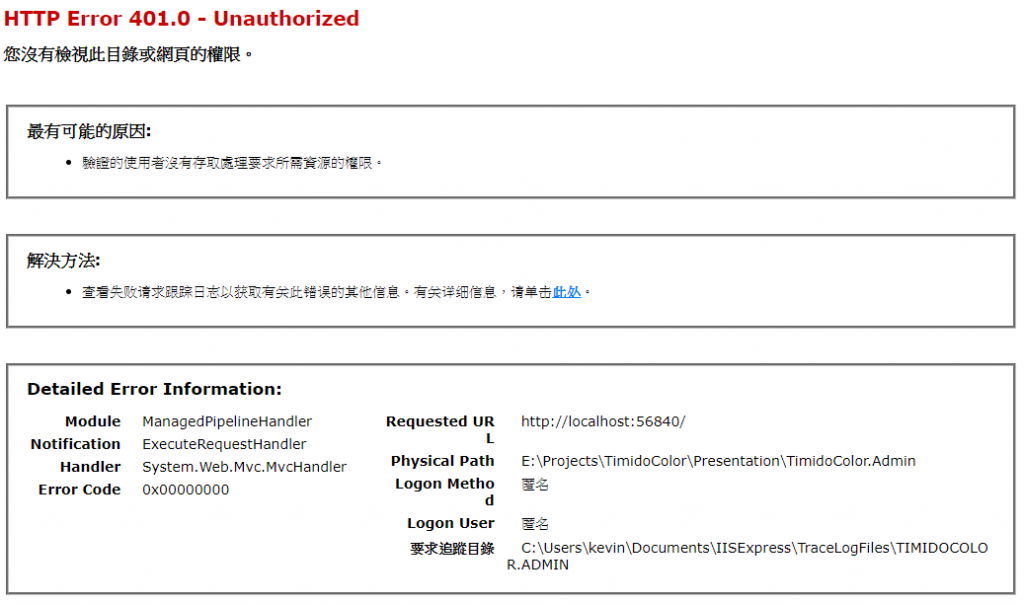
Step04.在Web.config 的 <system.web>中,增加 forms loginUrl 如下
<system.web>
    <authentication mode="Forms">
        <forms loginUrl="/Account/Login" timeout="2880" />
    </authentication>
</system.web>
Step05.這時候如果你將網站跑起來,你將會被導到登入的畫面
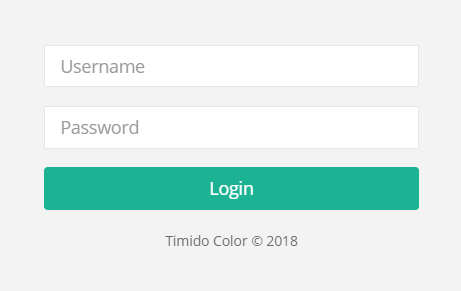
Step06.在專案新增資料夾 ViewModel,並建立 LoginViewModel.cs
public class LoginViewModel
{
    [Required]
    public string UserName { get; set; }
    [Required]
    public string Password { get; set; }
}
Step07.在 AccountController 中新增
[HttpPost]
[AllowAnonymous]
[ValidateAntiForgeryToken]
public ActionResult Login(LoginViewModel model)
{
    if (!ModelState.IsValid)
    {
        return View(model);
    }

     var user= db.Account.Where(x=>x.AccountName==model.UserName && x.Pwd==model.Password).FirstOrDefault();

     if (user== null)
    {
        ModelState.AddModelError("", "無效的帳號或密碼。");
        return View();
    }

    var ticket = new FormsAuthenticationTicket(
                version: 1,
                name: user.Id.ToString(), //可以放使用者Id
                issueDate: DateTime.UtcNow,//現在UTC時間
                expiration: DateTime.UtcNow.AddMinutes(30),//Cookie有效時間=現在時間往後+30分鐘
                isPersistent: true ,// 是否要記住我 true or false
                userData: roles, //可以放使用者角色名稱
                cookiePath: FormsAuthentication.FormsCookiePath);

    var encryptedTicket = FormsAuthentication.Encrypt(ticket); //把驗證的表單加密
    var cookie = new HttpCookie(FormsAuthentication.FormsCookieName, encryptedTicket);
    Response.Cookies.Add(cookie);
    return RedirectToAction("Index", "Home");
}
Step08.登入頁HTML
@using (Html.BeginForm())
{
    @Html.AntiForgeryToken()
    @Html.ValidationSummary(true, "", new { @class = "text-danger" })
    <div class="form-group">
        @Html.TextBoxFor(x => x.UserName, new { @class = "form-control", placeholder = "Username" })
    </div>
    <div class="form-group">
        @Html.PasswordFor(x => x.Password, new { @class = "form-control", placeholder = "Password" })
    </div>
    <button type="submit" class="btn btn-primary block full-width m-b">Login</button>
}
Step09.是這登入看看…