
有時候我們網站使用Identity的很大原因,是前端網站要讓使用者可以用Facebook Login,但是最近Facebook實在是改的太兇了,原本很簡易的參數設定就能用,現在卻會出現錯誤:無法載入網址: 這個網址的網域未包含在應用程式的網域中。若要載入這個網址,請在應用程式設定的「應用程式網域」欄位中新增應用程式的所有的網域及子網域。
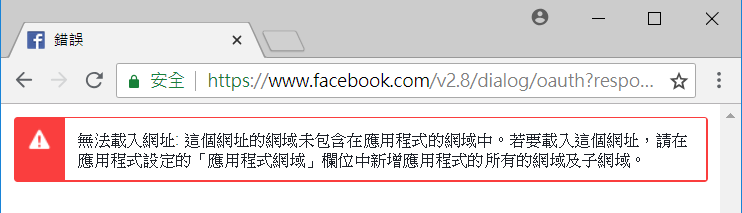
解決方式說明如下:
Step01. 新增一個MVC5專案,驗證方式: 選擇「個別使用者帳戶」
Step02. 將專案改成支援 SSL模式
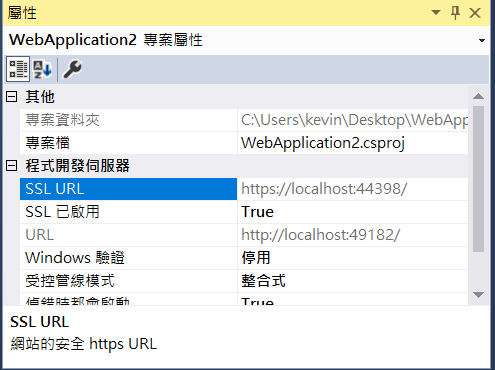
Step03. 將https 的網址貼到專案屬性視窗
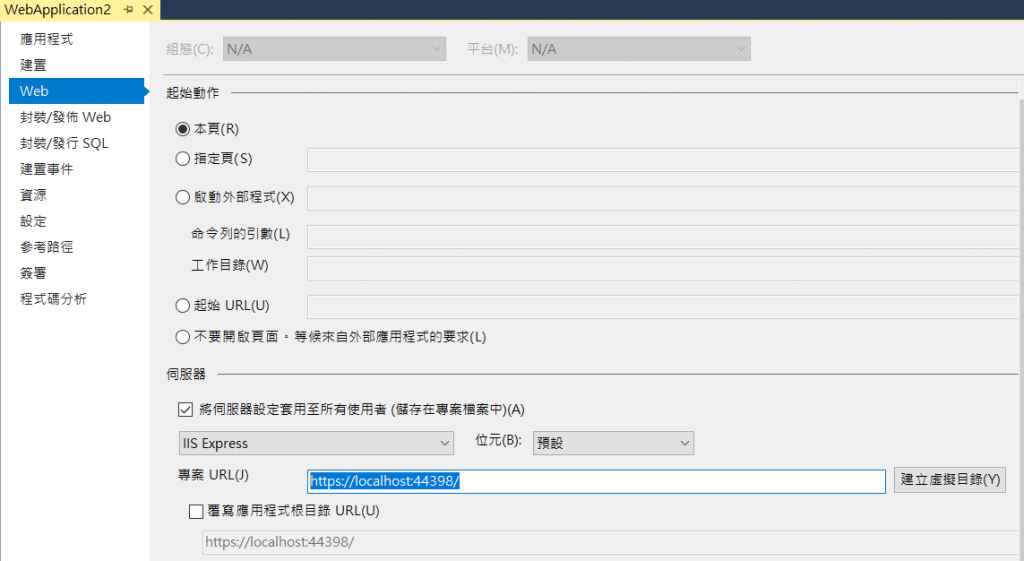
Step04. 以這個SSL網址去開設Facebook 應用程式
Step05.選擇App_Start底下的 Startup.Auth,設定 FacebookAuthentication,如下
app.UseFacebookAuthentication(
appId: "應用程式編號",
appSecret: "應用程式密鑰");
前端登入畫面就會自動出現Facebook 按鈕
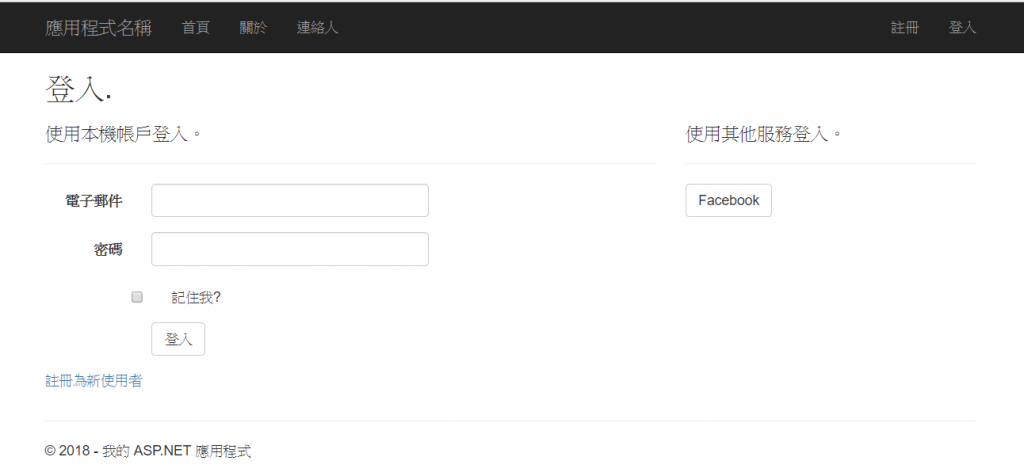
原本只要設定這樣就可以了,點選就可以自動登入了,但目前是不行的,會出現錯誤。
Step06.選擇App_Start底下的 Startup.Auth,將原本Facebook參數設定修改成
var options = new FacebookAuthenticationOptions
{
    AppId = "應用程式編號",
    AppSecret = "應用程式密鑰",
    CallbackPath = new PathString("/Account/ExternalLoginCallback/"),
    Provider = new FacebookAuthenticationProvider
    {
        OnAuthenticated = async context =>
        {
            // Retrieve the OAuth access token to store for subsequent API calls
            string accessToken = context.AccessToken;

            // Retrieve the username
            string facebookUserName = context.UserName;

            // You can even retrieve the full JSON-serialized user
            var serializedUser = context.User;
        }
    }
};
app.UseFacebookAuthentication(options);
Step07.Facebook App的 Facebook登入也要設定「有效的 OAuth 重新導向 URI」
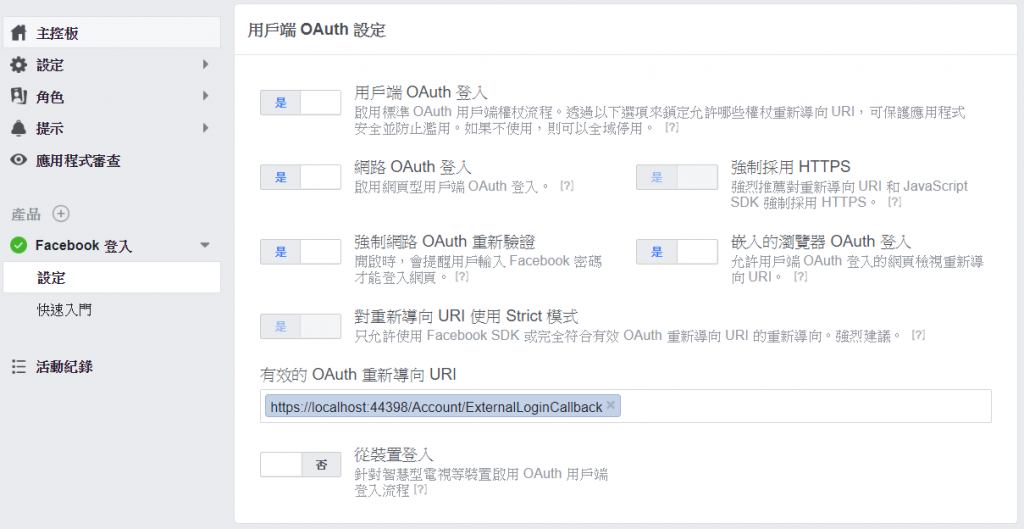
Step08.如果順利的話,應該就可以成功了

後來發現將 Microsoft.Owin.Security.Facebook 更新至最新版本,就不會出現錯誤了